Seamlessly migrating from OnlyOffice to Euro-Office in self-hosted NextCloud
Seamlessly migrate from OnlyOffice to Euro-Office in a self-hosted NextCloud instance.

For a long time, my self-hosting journey included running NextCloud paired with OnlyOffice. While this stack provided great functionality, I’ve been monitoring the progress of the Euro-Office project since its very first announcements due to the strong sovereignty claims. Now that we have access to a stable version, I decided it was time for an upgrade, aiming for a truly seamless and drop-in replacement experience, since Euro-Office is ultimately a direct fork of OnlyOffice. Furthermore, a major pain point with the community edition of OnlyOffice has always been limited editing capability, specifically within mobile browsers or dedicated apps. Euro-Office does not appear to have these limitations.
Before diving straight in, a quick note on my infrastructure stack: I'm not using NextCloud's all-in-one deployment method. Instead, I opted for the "traditional" deployment method: it is still containerized but with more granular control over the services deployed. I'm doing so because I already maintain a centralized Traefik-based reverse proxy managing all SSL termination and I wanted a fine-grained control over the resource footprint.
Deploying the Euro-Office DocumentServer
The very first step is to run the core backend component: the Euro-Office DocumentServer (analogous to the OnlyOffice DocumentServer). If you are leveraging Docker Compose for instance, it is as easy as:
services:
  eurooffice-documentserver:
    image: ghcr.io/euro-office/documentserver:latest
    environment:
      # Note: Ensure these variables match your desired configuration
      - JWT_ENABLED=true
      - THEME=euro-office
      - USE_UNAUTHORIZED_STORAGE=true
      - ALLOW_PRIVATE_IP_ADDRESS=true
    env_file:
      .env
    ports:
      # Adjust ports as necessary for your environment
      - '37880:80'
    healthcheck:
      test: ["CMD", "curl", "-f", "http://localhost:8000/info/info.json"]
      interval: 30s
      retries: 5
      start_period: 60s
      timeout: 10s
    stdin_open: true
    restart: always
    stop_grace_period: 60s
This DocumentServer sits being my Traefik reverse proxy running on Kubernetes. Traefik handles SSL termination and provides crucial hardened security layers, such as hiding the underlying /welcome/ endpoint from end-users.
Note that the .env file needs to include a JWT_SECRET variable, acting as a shared credential between your Euro-Office DocumentServer and NextCloud server instances.
My previous setup with OnlyOffice used to include separate services for PostgreSQL, RabbitMQ and Redis. But it looks like everything is now running in a single Euro-Office container.
Configuring NextCloud
With the backend running smoothly, integrating it into NextCloud is straightforward.
First, ensure you are running at least Nextcloud Hub 26 Spring, as this version includes native support for Euro-Office integration. From there, navigate to Profile > Apps and install the "NextCloud Office" app.
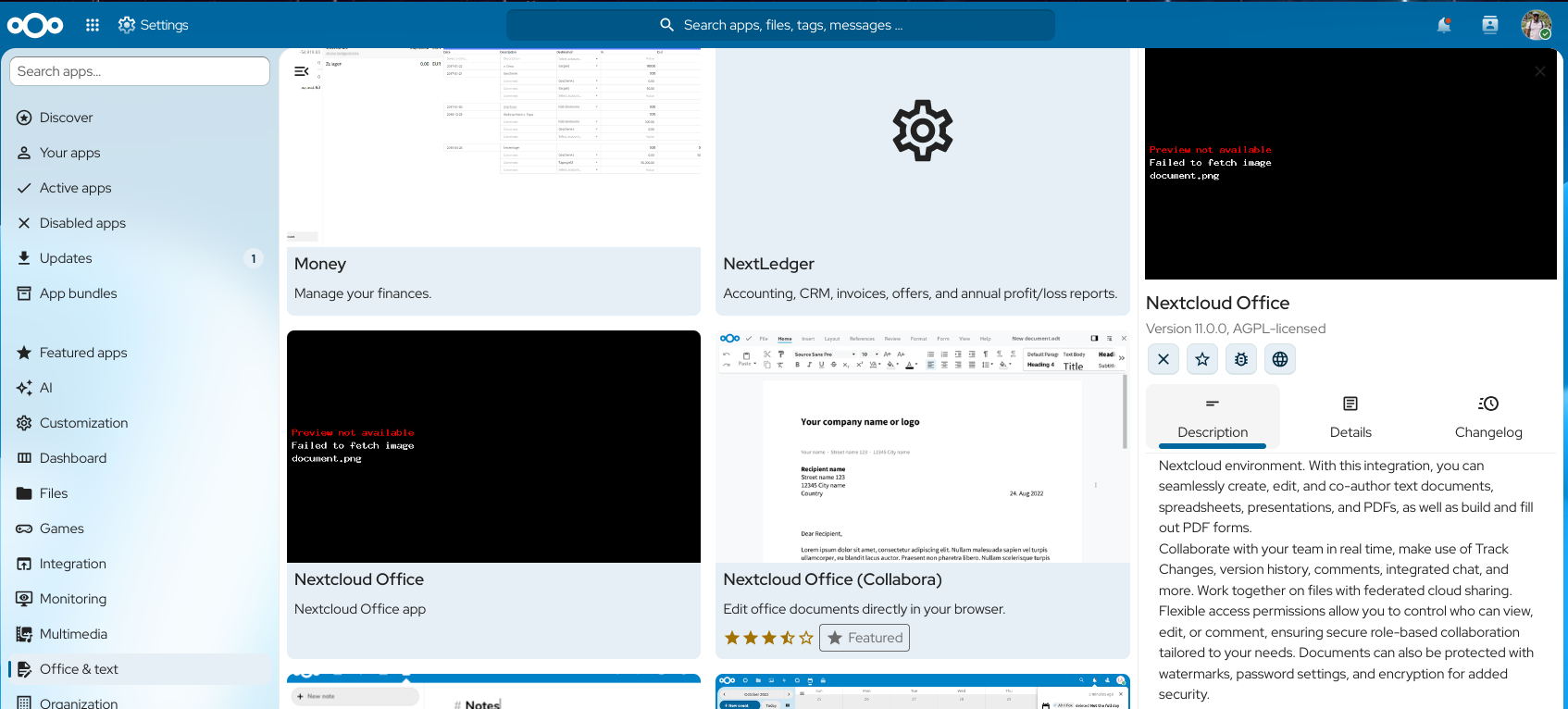
Once installed, head over to Administration Settings > Next Cloud Office and configure the integration with your Euro-Office DocumentServer:
- Provide the endpoint for your DocumentServer instance.
- Curcially, set the shared
JWT_SECRETvalue under the Secret key field, matching the secret used in the.envfile mentioned in the previous section above.
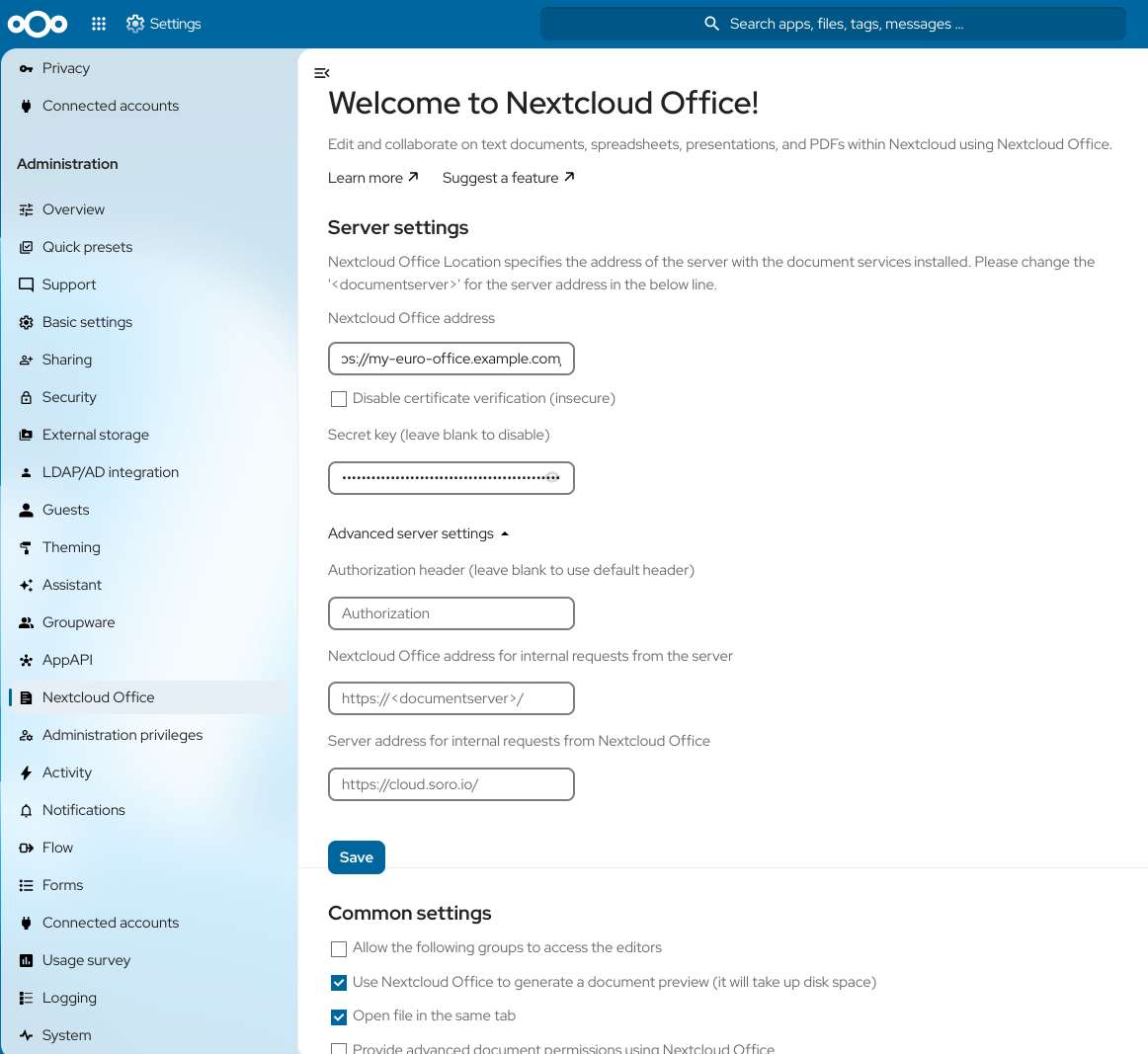
Please note that for end-users to interact with document previews or editing services from anywhere (i.e., outside your internal network), the Euro-Office DocumentServer should be publicly reachable by users' browsers. However, you may also want to configure different endpoints for internal requests.
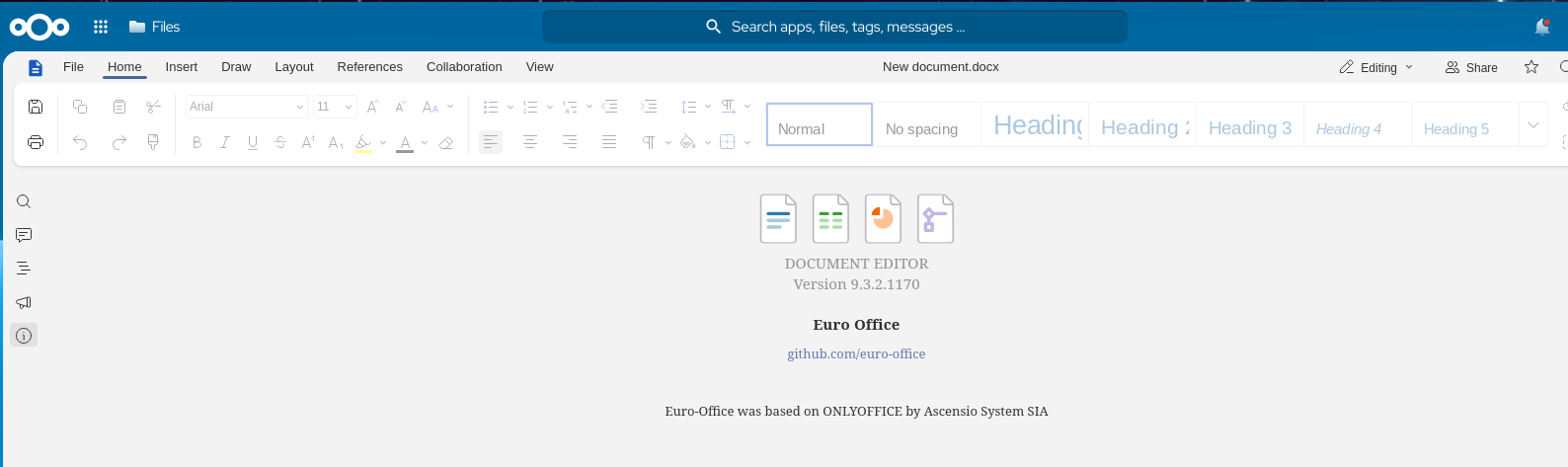
And voilà! After saving the configuration changes, all that remains is testing the integration. You can confirm the full integration functionality by creating a new Document within NextCloud:
Wrapping Up
The transition from OnlyOffice to Euro-Office felt surprisingly smooth. This upgrade significantly modernizes my self-hosted document suite while maintaining the reliability of a true drop-in replacement. If you’re looking to fine-tune your own stack, this is an excellent alternative worth considering!


